
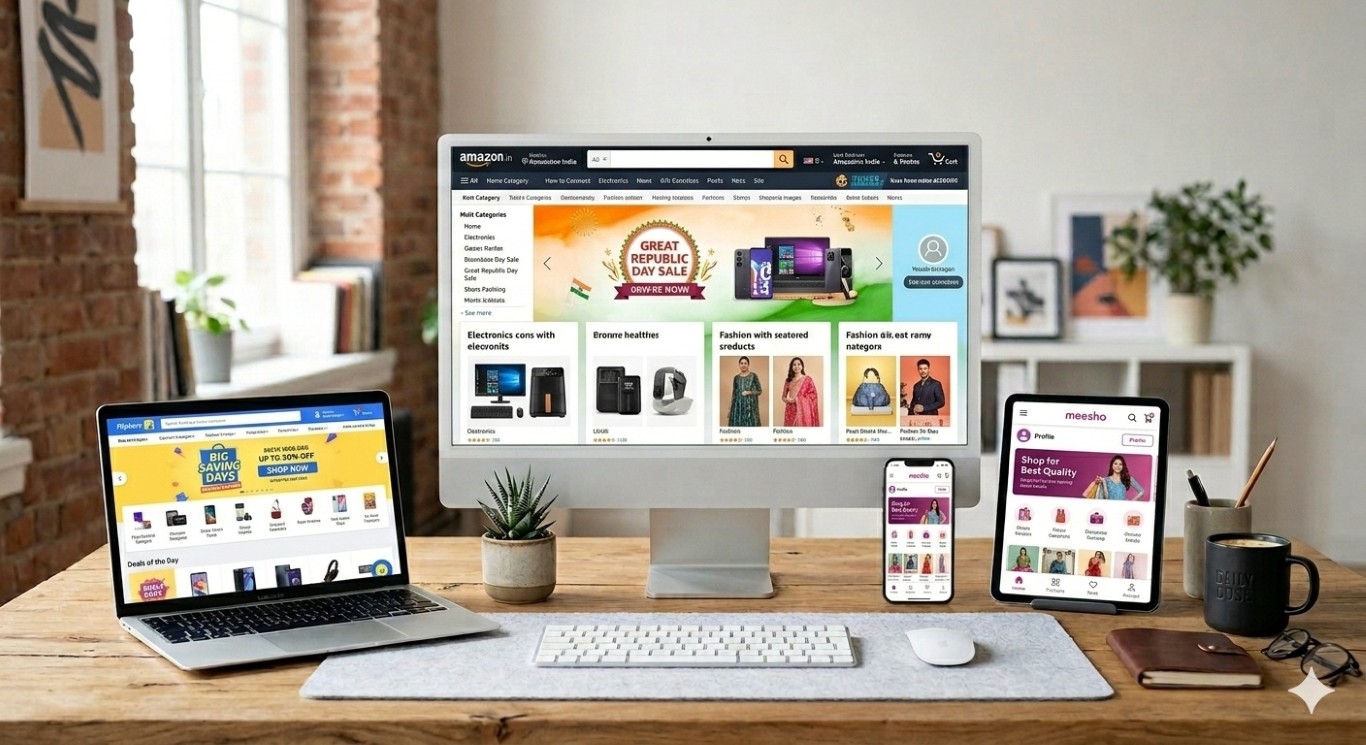
Quick Summary: Want to sell online in India but don't know where to start? This complete guide walks you through the step-by-step onboarding process for Amazon India, Flipkart, and Meesho — including documents required, registration steps, listing tips, and common mistakes to avoid. Whether you're a small business owner, home entrepreneur, or brand, this checklist will get you live and selling fast.
1. Why Sell on Indian Marketplaces in 2026? {#why-sell}
India’s e-commerce market is projected to reach ₹7.5 lakh crore by 2026, making it one of the fastest-growing online retail ecosystems in the world. For sellers, this means one thing: there has never been a better time to go online.
Whether you’re running a small business from Meerut, a textile unit in Surat, or a home kitchen in Chennai — platforms like Amazon India, Flipkart, and Meesho give you instant access to crores of customers across every pin code in India, with zero need for a physical retail store.
Here’s what makes Indian marketplace selling so powerful right now:
- 200+ million active online shoppers across Tier-1, 2, and 3 cities
- No upfront store setup cost — list and sell from day one
- Built-in logistics — platforms handle delivery and returns
- Trusted payment systems — get paid directly to your bank account
- Festival season demand spikes — Diwali, Big Billion Days, Great Indian Festival drive massive sales volumes
But getting started the right way matters. A poorly set-up seller account leads to delayed approvals, listing rejections, or worse — account suspensions. This guide gives you a complete, step-by-step checklist so you launch right the first time.
2. Before You Begin: Documents You Need {#documents}
Regardless of which platform you choose, you’ll need the following basic documents ready before starting seller registration. Having them scanned and saved will save you hours.
✅ Universal Documents Required (All Platforms)
| Document | Details |
|---|---|
| PAN Card | Individual or business PAN. Mandatory for all platforms. |
| GST Registration (GSTIN) | Mandatory for Amazon & Flipkart. Optional for some Meesho categories. |
| Bank Account Details | Account number + IFSC code. Must match your PAN name. |
| Mobile Number & Email ID | For OTP verification and account communication. |
| Address Proof | Aadhaar, Electricity Bill, or Rent Agreement. |
✅ Additional Documents (Category-Specific)
- FSSAI License — if selling food, health drinks, or packaged goods
- Drug License — for pharma, health supplements, or OTC medicines
- BIS Certification — for electronics, toys, or certain consumer goods
- Trademark Certificate — if you have a registered brand (speeds up Brand Registry)
- Import Export Code (IEC) — only if selling internationally or imported goods
Pro Tip from Growth Decoders: GST registration is mandatory for selling on Amazon and Flipkart regardless of your turnover. Under Section 24(ix) of the CGST Act, any seller supplying goods through an e-commerce operator must register for GST — even if their annual sales are below the ₹40 lakh threshold that applies to offline businesses.
3. How to Register on Amazon India (Step-by-Step) {#amazon}
Portal: sellercentral.amazon.in
Amazon India is the largest online marketplace in India by seller count and product categories. It offers two seller programs: Individual (no monthly fee, but higher per-sale commission) and Professional (₹499/month, lower commissions, better ad access).
Step-by-Step Amazon Seller Registration
Step 1: Visit Amazon Seller Central Go to sellercentral.amazon.in and click “Start Selling.”
Step 2: Create Your Account Enter your email ID and create a password. Use a dedicated business email — not a personal Gmail.
Step 3: Enter Business Information
- Legal business name (as on PAN)
- Business type (Individual / Sole Proprietor / Pvt. Ltd. / LLP / Partnership)
- Business address
Step 4: Enter GST & PAN Details
- Enter your 15-digit GSTIN
- Enter your PAN number
- Amazon will verify these against government records — ensure they match exactly
Step 5: Set Up Bank Account
- Enter your bank account number and IFSC code
- The account holder name must match your PAN card
Step 6: Choose Fulfillment Method
- FBA (Fulfilled by Amazon): Ship products to Amazon warehouse; they handle packing, shipping, and returns. Higher visibility in search.
- Easy Ship: You pack; Amazon courier picks up from your location.
- Self-Ship: You manage packaging and courier yourself. Best for heavy or fragile items.
Step 7: List Your First Product
- Search for your product using ASIN or create a new listing
- Upload images (minimum 6 images; white background required for main image)
- Write keyword-rich titles and bullet points
- Set your selling price
Step 8: Complete Identity Verification Amazon may ask for a video call or document verification. Complete it promptly to avoid delays.
Timeline: Account typically activates within 3–5 business days after document verification.
4. How to Register on Flipkart Seller Hub (Step-by-Step) {#flipkart}
Portal: seller.flipkart.com
Flipkart is India’s other e-commerce giant with a particularly strong presence in electronics, fashion, and home appliances. It has a stricter onboarding process than Meesho but offers excellent sales volume, especially during Big Billion Days.
Step-by-Step Flipkart Seller Registration
Step 1: Go to Flipkart Seller Hub Visit seller.flipkart.com and click “Start Selling.”
Step 2: Enter Mobile Number Receive an OTP and verify. This becomes your primary seller account number.
Step 3: Enter Business & Tax Details
- Business name
- GSTIN (mandatory for all categories)
- PAN number
Step 4: Add Pickup Address This is the address from where Flipkart’s logistics partner (Ekart) will pick up your orders.
Step 5: Set Up Bank Account Enter bank account details. Flipkart settles payments every 7–15 days.
Step 6: List Products
- Use Flipkart’s bulk listing tool (Excel upload) for faster cataloging
- Ensure product titles follow Flipkart’s category-specific format
- High-quality product images (minimum 500x500px, white background preferred)
Step 7: Account Review Flipkart reviews your documents and listing quality before activation.
Timeline: Typically 5–7 business days.
Important: Flipkart has a Seller Rating System. Your ratings affect product visibility. Ensure timely dispatch, accurate listings, and minimum returns from day one.
5. How to Register on Meesho Supplier Portal (Step-by-Step) {#meesho}
Portal: supplier.meesho.com
Meesho is the most beginner-friendly Indian marketplace — perfect for small businesses, home entrepreneurs, and first-time sellers. Its 0% commission model means you keep 100% of your listed price (Meesho earns through ads and logistics). It also has the lowest entry barrier.
Step-by-Step Meesho Seller Registration
Step 1: Visit Meesho Supplier Portal Go to supplier.meesho.com and click “Start Selling.”
Step 2: Enter Phone Number & Verify OTP Your phone number is your seller identity on Meesho.
Step 3: Choose GST or Non-GST Option
- With GST: Enter your GSTIN to unlock selling across all states (inter-state)
- Without GST: Generate an Enrollment ID (EID) — available for certain categories and intra-state selling only
Step 4: Enter Bank Details Account number + IFSC code. Sole proprietors can use a savings account.
Step 5: Upload Product Catalog
- Use Excel-based bulk upload for multiple products
- Add clear product images (minimum 500x500px; no watermarks)
- Add competitive prices — Meesho’s customer base is price-sensitive
Step 6: Account Goes Live Meesho verification takes just 24–48 hours if documents are correct.
Meesho Advantage: 7-day payment cycle after delivery. Reach crores of price-sensitive shoppers in Tier-2 and Tier-3 cities that Amazon and Flipkart may not serve as effectively.
6. Platform Comparison: Amazon vs Flipkart vs Meesho {#comparison}
| Feature | Amazon India | Flipkart | Meesho |
|---|---|---|---|
| Commission | 5–15% (category-based) | 5–12% | 0% |
| GST Required | Yes | Yes | Optional (some categories) |
| Onboarding Time | 3–5 days | 5–7 days | 24–48 hours |
| Logistics | FBA / Easy Ship / Self | Ekart / Self | Meesho Logistics |
| Payment Cycle | 7 days | 7–15 days | 7 days |
| Best For | Branded goods, electronics, books | Electronics, fashion, FMCG | Small sellers, budget products |
| Advertising | Sponsored Products, DSP | Flipkart Ads | Meesho Ads |
| Customer Base | Pan-India + premium | Pan-India | Tier-2 & Tier-3 cities |
Our Recommendation at Growth Decoders: Start with Meesho if you’re testing the waters (low cost, quick setup). Add Amazon India next for scale and brand building. Add Flipkart once your catalog is stable and you can handle higher logistics demands.
7. Listing Optimization Checklist {#listing}
Getting your seller account live is only half the job. Your listings need to be optimized to actually get found and convert shoppers into buyers.
Product Title ✅
- Include: Primary keyword + Brand + Key Feature + Size/Color/Variant
- Example: “XYZ Cotton Kurti for Women | Printed Anarkali | Sizes S–XXL | Blue”
- Avoid: All caps, keyword stuffing, special characters
Product Images ✅
- Minimum 6 images (front, back, detail, lifestyle, size chart, packaging)
- Main image: White background, no text or watermarks
- Minimum resolution: 1000x1000px for zoom feature
Bullet Points / Key Features ✅
- Lead with the strongest selling point
- Include size, material, use case, warranty, and compatibility
- Use searchable keywords naturally — don’t force them
Product Description ✅
- Write for humans, not just search engines
- Include answers to common customer questions
- Highlight differentiators: handmade, eco-friendly, BIS certified, etc.
Price ✅
- Research competitor prices before setting yours
- Factor in marketplace commission, shipping costs, GST, and your margin
- Avoid pricing below cost — many new sellers do this and burn out quickly
Keywords & Search Tags ✅
- Use all available backend keyword fields
- Include Hindi transliterations where applicable (e.g., “kurti” along with “kurta”)
- Think like your customer — what would they type?
8. Common Onboarding Mistakes to Avoid {#mistakes}
Thousands of Indian sellers get stuck or suspended because of avoidable mistakes. Here’s what NOT to do:
❌ Mismatch in Documents Your PAN name, GSTIN name, and bank account name must all match. Even a spelling difference can delay or reject your application.
❌ Poor Quality Product Images Blurry, low-resolution, or watermarked images get rejected during catalog review. Invest in basic photography or use Growth Decoders’ catalog services.
❌ Ignoring GST Compliance Not filing GST returns on time can lead to account suspension across all platforms. Set reminders for monthly/quarterly GSTR filings.
❌ Wrong Category Selection Listing in the wrong category leads to poor visibility and possible listing removals. Research the exact category and subcategory before listing.
❌ Skipping Brand Registry If you have a brand, registering it on Amazon Brand Registry unlocks A+ Content, Brand Store, and protection from counterfeiters. Don’t skip this.
❌ No Inventory Planning Running out of stock kills your ranking. Plan your restock timelines, especially before festive seasons (Diwali, Navratri, Republic Day Sale).
❌ Ignoring Customer Feedback Low ratings from early customers drag down your entire account health. Respond to every negative review and resolve issues proactively.
9. Frequently Asked Questions (FAQs) {#faqs}

Yes! Selling on Amazon, Flipkart, and Meesho simultaneously is a smart strategy to maximize reach. Just ensure your inventory and pricing are consistent across platforms.
Yes, GST registration is mandatory regardless of your annual turnover. For Meesho, certain categories and intra-state sellers may get an exemption, but GST is still strongly recommended.
Meesho is completely free to register. Amazon charges ₹499/month for a Professional account (Individual accounts are free but have limitations). Flipkart registration is free but charges a referral fee per sale.
Meesho: 24–48 hours. Amazon: 3–5 days. Flipkart: 5–7 days.
Yes. You can sell as an individual with just your PAN and GST number. However, registering a brand or company gives you more credibility and unlocks better platform features.
Currently high-demand categories include: ethnic wear & fashion, home décor, mobile accessories, kitchen & home essentials, health & wellness products, and toys & baby products.
You can sell from home. Your pickup address (the address you give during registration) is where the platform's courier partner will collect orders from.